Graphify vs. grep: Does a knowledge graph help an AI coding agent?
Table of Contents
Type /graphify in your AI coding assistant and it maps your entire project (code, docs, PDFs, images, videos) into a knowledge graph you can query instead of grepping through files.
This claim is prominently displayed in the Graphify repository. It immediately caught my attention. grep and tools such as rg are old, simple, and dependable. A knowledge graph sounds much more sophisticated, but sophistication alone does not make a tool useful.
There is also a more interesting question behind the marketing comparison. AI coding agents do not explore repositories exactly as humans do. They issue many searches, read fragments of files, follow symbols across modules, and repeatedly add results to their context. Perhaps a graph can give an agent a better starting point and avoid some of that work.
I tested that idea on the FastAPI repository. I asked the same coding agent twelve questions, once with access to Graphify and once without it. I measured time, tool use, files inspected, tokens, and cost.
What Graphify actually builds #
Graphify is not a vector database. According to its description of the extraction process, it builds a graph in several passes:
- Tree-sitter extracts code structure, including classes, functions, imports, and calls.
- Audio and video can be transcribed locally.
- Documentation, papers, images, and transcripts can receive a semantic extraction pass from an LLM.
The resulting nodes represent things such as files, symbols, and concepts. Edges describe relationships such as calls, imports, and implements. Graphify labels relationships as EXTRACTED, INFERRED, or AMBIGUOUS, which is important because not every graph relationship has the same evidential value. It then uses the Leiden algorithm to group densely connected nodes into communities.
The project produces a machine-readable graph, a report, and an interactive HTML visualization. This is the graph generated from my FastAPI checkout:
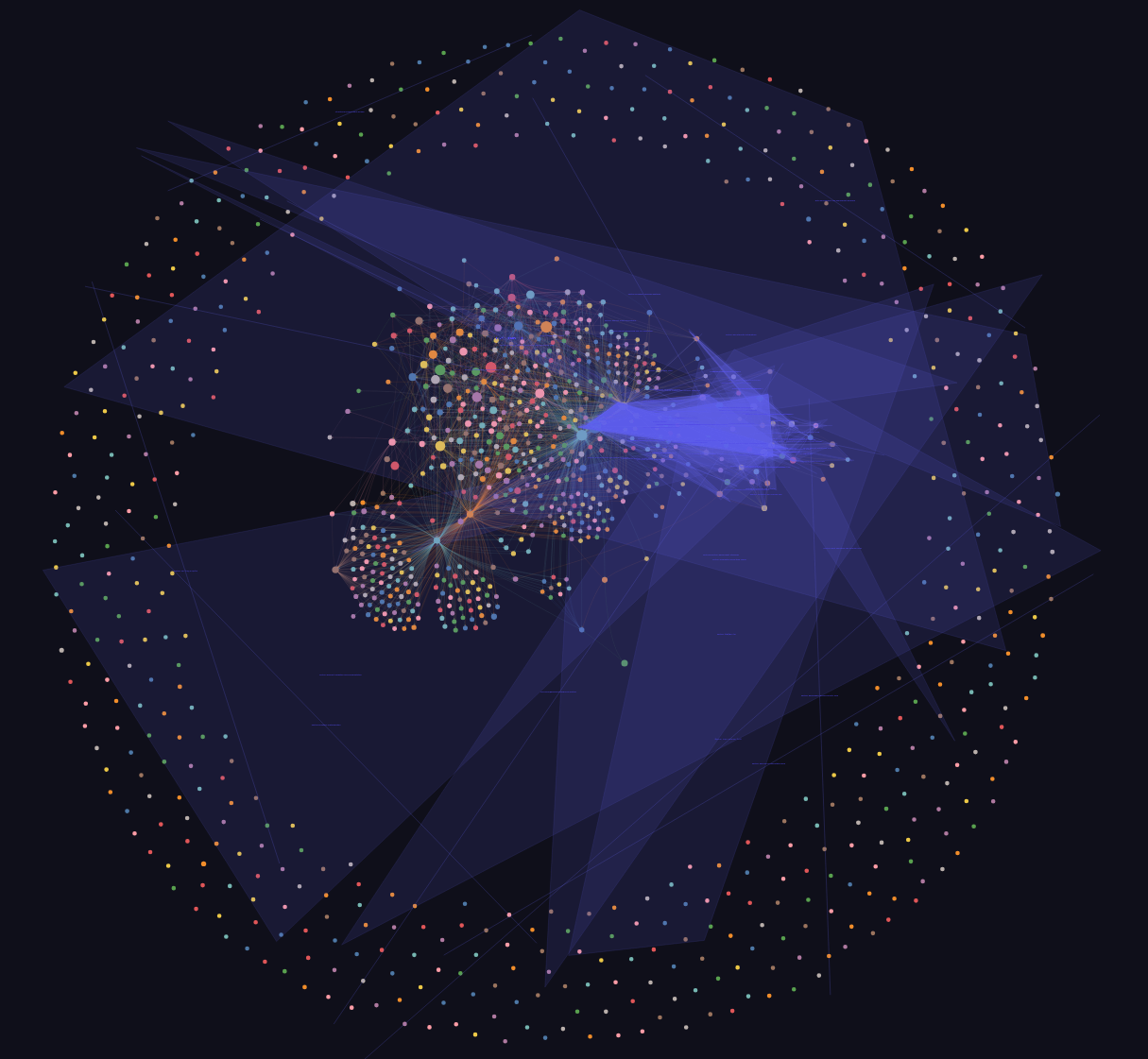
The visualization is impressive, but my experiment is not about whether Graphify can draw a graph. It is about whether that graph helps an agent answer realistic repository questions with less work.
The large-corpus warning matters #
Graphify’s current skill warns when a corpus contains more than 500 supported files or 2,000,000 words and asks the user to narrow the scope. FastAPI crossed the file threshold, but I deliberately continued with the whole repository to include implementation code, tests, and documentation.
That gave Graphify broad information, but it also increased construction cost and included material irrelevant to some questions. The warning is sensible product behavior, though it qualifies the promise to map an “entire project.” Building one enormous graph is not automatically better than indexing the part of a repository relevant to the work.
Experiment setup #
Graphify’s own README uses a FastAPI graph as its main example, so I used the same project. The checkout contained FastAPI version 0.141.1 at commit 50113da. The exported sessions also preserve the files and line references used by the agent.
I used:
- Graphify
0.9.55 - OpenAI’s
gpt-5.6-lunafor the coding-agent sessions - The pi coding agent as the agent harness
- One fresh session per question
I checked the repository’s product and benchmark claims at commit c7ec108, which identifies itself as version 0.9.62. The experiment used 0.9.55, so current behavior or claims may differ.
I generated the graph with:
uv tool install 'graphifyy[sql,openai]'
graphify extract . --openai
graphify cluster-only . --openai
Graph generation consumed 3.8 million input tokens and 349,000 output tokens. The mixed corpus contains extensive documentation and other assets, so this result describes the tested options and corpus, not the cheapest possible code-only setup.
I then used two agent configurations:
- Without Graphify: normal repository tools such as search and file reads
- With Graphify: the same tools plus the Graphify skill and generated graph
Both configurations received the same model, question, response format, and repository state. The treatment was ordinary repository exploration versus repository exploration augmented with the Graphify skill, generated graph, and Graphify query tools. This means the comparison measures the practical effect of adding Graphify to the agent, rather than isolating the graph from the skill instructions and tools.
Questions #
I divided the questions into three groups. I avoided Graphify-specific terms because I wanted the prompts to resemble questions asked while entering an unfamiliar project.
Simple navigation #
These questions test whether Graphify adds unnecessary overhead to work that source search already handles well.
- Q1: Where is the FastAPI class defined?
- Q2: Where is the application startup logic?
- Q3: Which file defines the relevant configuration option?
- Q4: Where are HTTP exceptions converted into responses?
Q3 is underspecified. I retained it as an ambiguity case study, but excluded it from the aggregate totals and question-type averages. Its result remains in the raw tables for inspection. I would replace it with a named configuration option in a future run.
Relationship questions #
These require following relationships across the codebase.
- Q5: Trace the path from an incoming request to a route handler.
- Q6: How are dependencies resolved before a route is called?
- Q7: How does middleware interact with exception handling?
- Q8: How is a registered route connected to OpenAPI schema generation?
Change-impact questions #
These ask the agent to estimate the parts of the repository affected by a change.
- Q9: Which files would need to change to add a new middleware configuration option?
- Q10: Where would you modify the code to change dependency error handling?
- Q11: What parts of the project would be affected by changing route registration?
- Q12: Which tests should be updated when changing OpenAPI generation?
These questions do not have one definitive list of files. Different implementations can be valid, so I treat them as exploration tasks rather than questions with a simple answer key.
Prompt #
Every session received this prompt:
I am new to the FastAPI project and have a Question:

[Question]

Provide:
1. A concise answer to the question.
2. The reasoning path you followed.
3. Relevant files, symbols, and line numbers.
4. Any uncertainty or assumptions.
What I measured #
For each session, I recorded:
- Time: elapsed time to the first useful answer. I counted the first answer that addressed the question and included at least one verifiable file or symbol reference. I did not require the answer to be fully correct because correctness was not independently graded.
- Files: unique repository files inspected
- Tool calls: all tool invocations
- Graph calls: calls that queried Graphify
- Total input: uncached input plus prompt-cache reads and writes across model calls
- Output: generated output tokens
- Observed cost: provider-estimated cost in US dollars, including the cache behavior recorded during the session
Total input is not the number of source-code tokens read from disk. It is the input processed across the complete agent session. Repeated conversation context, tool results, and Graphify output all contribute to it. The exported session data does not separate skill instructions, graph-query output, source-tool output, and repeated context, so I cannot determine which component caused the difference between configurations.
Results #
Overall result #
Across the eleven included questions, the totals were:
| Metric | Without Graphify | With Graphify | Change with Graphify |
|---|---|---|---|
| Time | 468 s | 511 s | +9.2% |
| Files inspected | 89 | 76 | -14.6% |
| Tool calls | 175 | 160 | -8.6% |
| Total input | 1,974,282 | 2,951,731 | +49.5% |
| Output | 27,638 | 27,204 | -1.6% |
| Observed cost | $0.1687 | $0.1847 | +9.5% |
Graphify reduced the number of files inspected in eight included questions, with one tie and two cases where it inspected more files. It reduced tool calls in seven questions and increased them in four. It was faster in four questions and slower in seven, used less input in none of them, and had lower observed cost in two.
That combination is the central result. Graphify usually gave the agent a narrower set of source files, but querying and processing the graph introduced enough context and work to erase the expected token savings. On the measured efficiency outcomes, Graphify performed worse overall. Because I did not grade answer quality, the experiment cannot determine whether the additional cost bought better or more complete answers.
Files inspected and tool calls are also proxy metrics, not user outcomes. One graph query can return more text than several targeted searches, and inspecting fewer files is not useful if the answer is slower, more expensive, or less complete. This experiment measures exploration effort, not answer correctness. On time, input, and observed cost, Graphify performed worse overall. I cannot tell whether that additional expenditure produced better answers.
The output token totals were almost identical. The large difference is on the input side, where the Graphify configuration processed nearly one million additional tokens across the eleven included sessions.
Results by question type #
Averages reveal a more useful pattern than the overall total:
| Question type | Configuration | Time | Files | Tool calls | Total input | Output | Observed cost |
|---|---|---|---|---|---|---|---|
| Simple navigation | Without Graphify | 26.0 s | 5.3 | 11.7 | 97,772 | 1,910 | $0.0103 |
| Simple navigation | With Graphify | 39.0 s | 4.0 | 11.7 | 195,548 | 1,550 | $0.0122 |
| Relationships | Without Graphify | 35.0 s | 5.3 | 13.8 | 181,467 | 2,647 | $0.0156 |
| Relationships | With Graphify | 52.8 s | 4.5 | 18.3 | 295,205 | 2,885 | $0.0180 |
| Change impact | Without Graphify | 62.5 s | 13.0 | 21.3 | 238,775 | 2,830 | $0.0189 |
| Change impact | With Graphify | 45.8 s | 11.5 | 13.0 | 296,067 | 2,754 | $0.0191 |
Simple navigation did not need a graph #
For the three included simple-navigation questions, Graphify inspected 1.3 fewer files per question on average, but it took 13 seconds longer and processed 100% more input. Finding class FastAPI is exactly the kind of task where an exact source search is difficult to beat.
Q1 is representative. The Graphify-enabled agent queried the graph, searched for the exact declaration, read fastapi/applications.py, and checked the public re-export in fastapi/__init__.py. The graph suggested the area, but the agent still needed targeted source searches and file reads to verify the answer and line numbers.
This is not a failure of the graph. It is a mismatch between tool and task. A symbol search already has an excellent signal-to-noise ratio.
Relationship questions were the weakest category #
I expected Graphify to perform best on relationship questions. Instead, this category had the largest slowdown. Average time increased from 35.0 to 52.8 seconds, tool calls increased from 13.8 to 18.3, and input increased by 62.7%.
Both configurations generally found the same central implementation paths. For example, both Q5 answers traced the request through the application, middleware, router, dependency resolution, endpoint invocation, and response serialization. Both cited fastapi/applications.py, fastapi/routing.py, and fastapi/dependencies/utils.py.
The graph did not eliminate source inspection. In every Graphify-enabled session, the agent queried Graphify and then used searches and file reads to confirm the returned relationships. That verification is desirable, especially for inferred edges, but it means the graph acts as an additional navigation layer rather than a replacement for source search.
Broad change-impact questions were more promising #
The change-impact category tells a different story. Graphify reduced average time from 62.5 to 45.8 seconds and tool calls from 21.3 to 13.0. It also reduced the average number of inspected files from 13.0 to 11.5.
Q12 had the clearest improvement. The non-Graphify session took 101 seconds and 29 tool calls while searching the test suite. The Graphify session took 47 seconds and 15 tool calls. Both still inspected many files, but the graph appears to have provided a useful initial map of the OpenAPI-related test surface.
This category contains only four single runs, and Q12 is a conspicuous slow baseline run. Without repeated runs or an answer-quality score, I cannot tell how much of the apparent gain came from the graph and how much came from normal agent variance. The tradeoff also remained. Change-impact questions consumed 24.0% more input with Graphify, and the average observed cost was nearly identical. I treat this as a lead for a better experiment, not evidence that Graphify improves change-impact analysis.
How this compares with Graphify’s benchmarks #
Graphify publishes two relevant benchmarks.
Token reduction #
The how-it-works document reports:
| Corpus | Files | Reported reduction |
|---|---|---|
| Karpathy repositories, papers, and images | 52 | 71.5x |
| Graphify source and the Transformer paper | 4 | 5.4x |
| Synthetic httpx library | 6 | approximately 1x |
At first sight, 71.5 times fewer tokens seems incompatible with my 49.5% increase. The measurements use different baselines. Graphify’s benchmark.py compares an estimate of the full corpus with an estimate of a scoped graph subquery. My baseline agent used rg, find, and targeted reads, while my measurement also includes conversation history, tool results, and every model call.
Graph compression can therefore be real while end-to-end agent input increases. A retrieval tool should be compared with the targeted search and reads that a capable coding agent already has, not only with putting an entire repository into context.
Code intelligence #
Graphify’s published benchmark report includes a closer comparison. On six graded questions over the roughly one-million-line ERPNext repository, a fixed coding agent reportedly improved key-fact coverage from 70.8% with grep and read tools to 82.0% when given one Graphify tool. The report states approximately 140,000 tokens per query.
The grading method is better than mine because answers are checked against atomic key facts. Still, this is a self-published result from Graphify’s own harness with only six questions and aggregate results. It uses a different model, repository, and Graphify implementation, while my experiment measures end-to-end effort rather than key-fact coverage.
The results are not contradictory, but neither demonstrates broad usefulness. Together they suggest a narrower hypothesis worth testing: Graphify’s value may increase with repository size and broad questions, while its overhead dominates simple navigation that ordinary search can already handle.
What I can and cannot conclude #
Supported by the measurements #
For the eleven included FastAPI questions and this configuration:
- Graphify reduced the number of files inspected in eight questions, with one tie.
- Graphify reduced the number of tool calls in seven questions.
- It did not reduce total input in any question.
- It was slower overall.
- Its observed cost was 9.5% higher overall, before including graph construction.
- It helped most with broad test and change-impact exploration.
- The agent continued to use source search and file reads after querying the graph.
Not supported by the measurements #
I cannot conclude that:
- Graphify produced more correct answers.
- The non-Graphify answers were more correct.
- One run per question captures normal model variance.
- The result generalizes to every repository, model, or Graphify version.
The missing correctness benchmark is the largest limitation. A future experiment should define atomic expected facts before running the sessions. For change-impact tasks, historical pull requests could provide a useful reference by comparing predicted files with the merged change.
Other limitations #
One run per question and configuration #
Model behavior is stochastic. Repeating each question several times and randomizing run order would separate tool effects from ordinary run-to-run variation.
Cache behavior #
The session exports contain prompt-cache reads and writes. Cached input can be priced differently from uncached input, so Total input and monetary cost should not be expected to change proportionally. Adding the Graphify skill also changes the prompt prefix and may affect cache effectiveness.
The observed cost uses the provider estimates recorded during each session, including the cache behavior that occurred during that run. Because I did not control execution order, warm-up, or provider cache state, the cost comparison describes these runs rather than a stable uncached price comparison. I combined all input categories into Total input rather than claiming a controlled cache comparison.
The questions vary in precision #
Q3 is too vague, and the change-impact questions permit several valid interpretations. A future version should name concrete options and expected behavior.
Up-front construction was not amortized #
The per-question tables exclude the 3.8 million input and 349,000 output tokens used to generate the graph. Even without assigning a monetary cost to construction, the Graphify sessions had higher observed cost overall. Reusing the graph could amortize construction, but it would not recover the observed per-query premium in these runs.
Graph freshness also has an operational cost. Updates after pulls and merges, CI ownership, and generated artifacts could matter on a large team, but I did not measure that burden. It remains another unproven part of the large-repository value proposition.
When I would use Graphify #
Based on this experiment and Graphify’s published design, I would only evaluate it further when:
- The repository is very large and unfamiliar.
- Questions cross many packages or layers.
- I repeatedly need change-impact analysis.
- Code, architecture documents, papers, and other media need to be searched together.
- The same graph will be reused enough to amortize construction.
- I need to trace relationships that are awkward to express as a lexical search.
I would probably skip it when:
- I need to locate a known class, function, or configuration name.
- The repository is small enough for targeted search and reads.
- I only have one or two questions.
- The graph would immediately become stale.
- I cannot justify sending documentation or other assets through a semantic extraction backend.
A practical hybrid workflow #
The experiment suggests that “Graphify instead of grep” is the wrong mental model. A safer workflow is:
- Query the graph for candidate symbols, files, and paths.
- Prefer
EXTRACTEDrelationships over inferred ones when possible. - Verify important graph relationships in the source.
- Use exact search for declarations and references.
- Narrow the graph to relevant directories for focused work.
- Treat the graph as an index, not as the final authority.
This is also how the Graphify-enabled agent behaved. The graph provided orientation, while source reads provided evidence.
Conclusion: useful map, not a grep replacement #
Graphify is more than a fancy HTML graph generator. It builds a queryable structural index and presents relationships that can be awkward to discover lexically. That capability is real. Its usefulness to a coding agent is not established by capability alone.
It did not replace grep in my experiment. In every Graphify-enabled session, the agent queried the graph and then used source searches or file reads to verify the result. For straightforward navigation and even several cross-file relationship questions, the graph generally acted as an additional retrieval step before source verification. The measured result was more input and more latency. I did not measure whether answer quality improved enough to justify either.
The up-front cost also matters. I spent 3.8 million input tokens and 349,000 output tokens to build the graph, then the Graphify-enabled sessions processed 49.5% more input than the baseline and had higher observed cost in nine of the eleven included questions. On the measured efficiency outcomes, that investment did not pay back. More reuse would spread the build cost, but the observed per-query cost was also higher in these runs, so reuse alone does not fix the economics shown here. An independent quality evaluation could change that economic judgment if it showed that the premium consistently bought better answers.
My current verdict is more skeptical than “useful for large repositories.” I would not adopt Graphify based on the efficiency evidence in this experiment alone. I would run a stronger evaluation on a large, long-lived codebase with repeated cross-cutting work, independently graded answers, and historical changes as ground truth. Until such a test shows better answers or reliable time savings, targeted source search remains the simpler and better-supported default.
Most importantly, this experiment changed the question I would ask of any AI code-intelligence tool. “Does it compress the repository?” is not enough. The useful question is: Does it help an agent reach a well-supported answer faster and more cheaply than targeted search against the source?
For this FastAPI experiment, the answer is not yet a convincing yes.
Raw results #
The individual measurements and complete exported sessions are included below so the comparison can be inspected and reproduced.
Without Graphify #
| Q | Time | Files | Tool calls | Graph calls | Total input | Output | Observed cost | Raw |
|---|---|---|---|---|---|---|---|---|
| Q1 | 23 | 2 | 8 | 0 | 50,483 | 881 | $0.0059 | session |
| Q2 | 28 | 8 | 12 | 0 | 86,642 | 2,610 | $0.0117 | session |
| Q3 (excluded) | 42 | 6 | 14 | 0 | 104,745 | 1,921 | $0.0107 | session |
| Q4 | 27 | 6 | 15 | 0 | 156,190 | 2,239 | $0.0132 | session |
| Q5 | 32 | 4 | 10 | 0 | 125,938 | 2,987 | $0.0154 | session |
| Q6 | 37 | 4 | 14 | 0 | 197,980 | 2,289 | $0.0163 | session |
| Q7 | 36 | 8 | 19 | 0 | 218,382 | 2,650 | $0.0163 | session |
| Q8 | 35 | 5 | 12 | 0 | 183,568 | 2,662 | $0.0144 | session |
| Q9 | 60 | 17 | 17 | 0 | 218,802 | 3,013 | $0.0167 | session |
| Q10 | 46 | 7 | 21 | 0 | 178,837 | 2,165 | $0.0149 | session |
| Q11 | 43 | 8 | 18 | 0 | 319,530 | 3,319 | $0.0262 | session |
| Q12 | 101 | 20 | 29 | 0 | 237,930 | 2,823 | $0.0177 | session |
With Graphify #
| Q | Time | Files | Tool calls | Graph calls | Total input | Output | Observed cost | Raw |
|---|---|---|---|---|---|---|---|---|
| Q1 | 52 | 2 | 7 | 3 | 122,192 | 1,141 | $0.0081 | session |
| Q2 | 19 | 5 | 9 | 3 | 110,969 | 988 | $0.0083 | session |
| Q3 (excluded) | 41 | 6 | 12 | 3 | 147,471 | 1,807 | $0.0126 | session |
| Q4 | 46 | 5 | 19 | 4 | 353,484 | 2,520 | $0.0203 | session |
| Q5 | 61 | 3 | 20 | 3 | 314,420 | 3,192 | $0.0191 | session |
| Q6 | 41 | 5 | 17 | 3 | 281,416 | 2,545 | $0.0169 | session |
| Q7 | 64 | 7 | 15 | 3 | 323,928 | 2,882 | $0.0172 | session |
| Q8 | 45 | 3 | 21 | 3 | 261,055 | 2,920 | $0.0186 | session |
| Q9 | 41 | 12 | 11 | 3 | 312,040 | 2,646 | $0.0180 | session |
| Q10 | 45 | 8 | 12 | 3 | 294,761 | 2,035 | $0.0161 | session |
| Q11 | 50 | 7 | 14 | 3 | 337,304 | 3,281 | $0.0229 | session |
| Q12 | 47 | 19 | 15 | 3 | 240,162 | 3,054 | $0.0192 | session |